Blog · Trade Copierr
Trade Copierr vs FX Blue Personal Trade Copier (2026 Comparison)
FX Blue Personal Trade Copier is one of the most searched names when traders look for MetaTrader copy software. It is a mature, widely used tool. This page compares it honestly with Trade Copierr so you can pick the model that fits your setup—especially if you run multiple VPS instances, Indian INR billing, or a hosted copier relay instead of copying only on one Windows machine.
Disclaimer: FX Blue is a separate company and brand. Feature lists for FX Blue are summarized from their public product pages and user guides. Always verify current pricing, licence terms, and compatibility on FX Blue's site before you install anything.
Quick answer: who each product suits
- FX Blue Personal Trade Copier — You want free personal-use copying between MT4/MT5 terminals on the same computer, with deep local settings and optional MQL overrides. Copy speed is local (same machine), which suits one powerful VPS running every account.
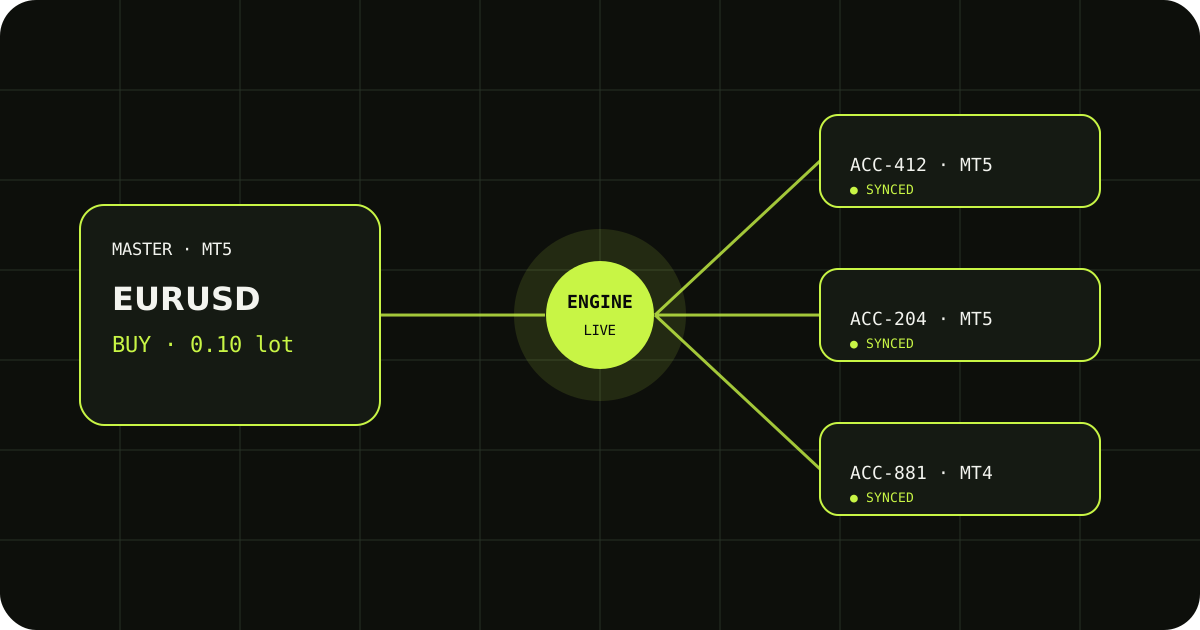
- Trade Copierr — You want Master and Follower EAs that talk to a hosted copier server, so master and followers can sit on different machines or VPS boxes. You also get a web dashboard, copier logs, INR wallet rentals, and Telegram-to-MT5 on the same platform.
Side-by-side comparison
| Topic | FX Blue Personal Trade Copier | Trade Copierr |
|---|---|---|
| Architecture | Copies between MT4/MT5 instances on the same PC (sender/receiver EAs locally linked). | Master EA → Trade Copierr cloud copier server → Follower EA(s). Terminals can be on separate VPS or locations. |
| MT5 ↔ MT5 | Yes (MT5 EA version). | Yes — native MT5 master-slave focus. |
| MT4 ↔ MT5 | Yes — MT4 and MT5 copier builds are cross-compatible on one machine. | Yes — MT4/MT5 copier plan from one dashboard. |
| Typical cost | Personal copier is widely offered as free for personal use (see FX Blue licence text). | Wallet-based rental (quarterly/lifetime on product pages). INR top-ups for Indian users. |
| Commercial / paid copy service | Personal licence is not for running a paid trade-copying business; FX Blue directs that use to other products (e.g. Trade Mirror). | Built for traders and teams renting copier access; check your broker and local rules for signal/copy services. |
| Lot sizing & risk | Fixed/risk-based sizing, symbol filters, magic filters, invert direction, trading hours, partial closes (per their docs). | Fixed lot, multiplier/divider, balance-based scaling, symbol mapping, reverse mode, filters. |
| Read-only master | Sender can use investor (read-only) password. | Master EA on the account you trade; follow product setup guide. |
| Dashboard & logs | Terminal-centric; email alerts available in FX Blue feature list. | Web dashboard, copier state, trade copier logs, wallet and rental management. |
| Telegram → MT5 | Not part of Personal Trade Copier (separate tooling ecosystem). | Telegram signal copier EA + hosted signal path on same account. |
| Install notes | Windows installer; .NET Framework requirements on some VPS images (FX Blue notes this publicly). | Standard MT4/MT5 EA install; copier server hosted by Trade Copierr (you do not run the server). |
FX Blue Personal Trade Copier — strengths
FX Blue's Personal Trade Copier earned its reputation for good reasons. If every master and follower terminal already lives on one Windows VPS, local copying avoids network hops between machines. Public materials highlight:
- Copying between any mix of MT4 and MT5 on the same computer.
- Lot sizing, risk-based equity adjustment, SL/TP handling, partial closes, and trade inversion.
- Symbol-name auto-adjustment between brokers and optional custom MQL overrides for advanced users.
- Strong fit for personal and friends-and-family copying at zero software cost.
The main constraint to remember is architectural: instances must run on the same PC. If you later split accounts across two VPS providers, you either move everything back to one box or evaluate a relay-style copier.
Trade Copierr — strengths
Trade Copierr is designed around a hosted copier relay plus licensed EAs. That fits traders who already separated master and followers—for example one VPS near the signal source and another VPS per prop firm login.
- Split infrastructure — Master on VPS A, followers on VPS B/C; EAs connect outbound to Trade Copierr's server (see MT5 to MT5 trade copier guide).
- Unified dashboard — Rentals, keys, copier management UI, and logs without RDP-only administration.
- India-friendly billing — INR wallet top-ups and product rentals from the dashboard (MT5 copy trading in India).
- Same vendor for Telegram execution — If you also need channel signals into MT5, Telegram to MT5 lives beside the native copier.
Product details and current rental pricing: MT5 trade copier. Do not treat this blog as a price list—check the product page before checkout.
When FX Blue is the better fit
- You run all MT4/MT5 terminals on one machine and want free personal-use software.
- You need FX Blue's deep local settings or custom MQL hooks documented in their user guide.
- You copy for yourself and close contacts under their personal licence, not a commercial mirror service.
- You value same-PC latency and are happy to scale vertically (more RAM/CPU on one VPS).
When Trade Copierr is the better fit
- Master and followers must sit on different servers or geographic locations.
- You want a browser dashboard, rental keys, and copier logs for support and auditing.
- You prefer INR wallet rentals and Indian support channels (WhatsApp on the site).
- You also run—or plan—Telegram signal copying to MT5 from the same provider.
- You are comparing paid copier services and want a hosted relay instead of maintaining copy plumbing yourself.
Migration mindset (FX Blue → hosted copier)
Switching is not a button click. Treat it as a new go-live: install Master/Follower EAs, map symbols per follower broker, re-test lot modes, and run the modify/partial-close checklist on demo. Your FX Blue symbol rules do not automatically transfer—write down master ticket → follower ticket pairs for the first week.
Helpful Trade Copierr docs: copy to multiple accounts, different brokers, SL, TP, and partial closes.
Five-minute demo checklist (either product)
- Open one small market trade on the master.
- Move stop loss or take profit once.
- Partially close if your strategy uses it.
- Fully close and confirm every follower is flat.
- Read the log/journal line when a follower skips a trade (wrong symbol, min lot, or margin).
If a copier passes only step 1, it is not production-ready for your style. Use the same checklist for FX Blue and Trade Copierr before live size.
FAQ
Is Trade Copierr an official FX Blue alternative?
No affiliation. Traders search "FX Blue Personal Trade Copier alternative" when they outgrow same-PC copying or want hosted infrastructure. Trade Copierr is one option; evaluate others with the same checklist in how to choose an MT5 trade copier.
Which is faster?
On one fast VPS, local copiers can be very quick because nothing leaves the machine. Trade Copierr adds a network relay, so measure on your route during demo. Stability (terminals online, correct mapping) usually matters more than marketed milliseconds.
Kya India ke traders ke liye koi farq hai?
FX Blue billing is international and product terms are on their site. Trade Copierr targets Indian retail with INR wallet top-ups and Hindi/English support habits described on the homepage. Broker rules, tax, and compliance remain your responsibility on either stack.
Can I use both?
Technically you could run FX Blue on one VPS and Trade Copierr on another for different account groups, but do not double-copy the same follower account. Pick one copier path per follower login to avoid duplicate orders.
See also the broader roundup: Best MT5 trade copier (2026).
Next steps with Trade Copierr
Create an account, rent the MT5 trade copier, and prove the flow on demo. If you are still deciding, read the vendor-neutral MT5 trade copier software explainer, then compare FX Blue's same-PC model against Trade Copierr's hosted relay using the table above.
Public comments are saved for this blog post and shown to other readers.