Blog · Trade Copierr
MT5 Trade Copier Software: Cloud Server vs Local EAs
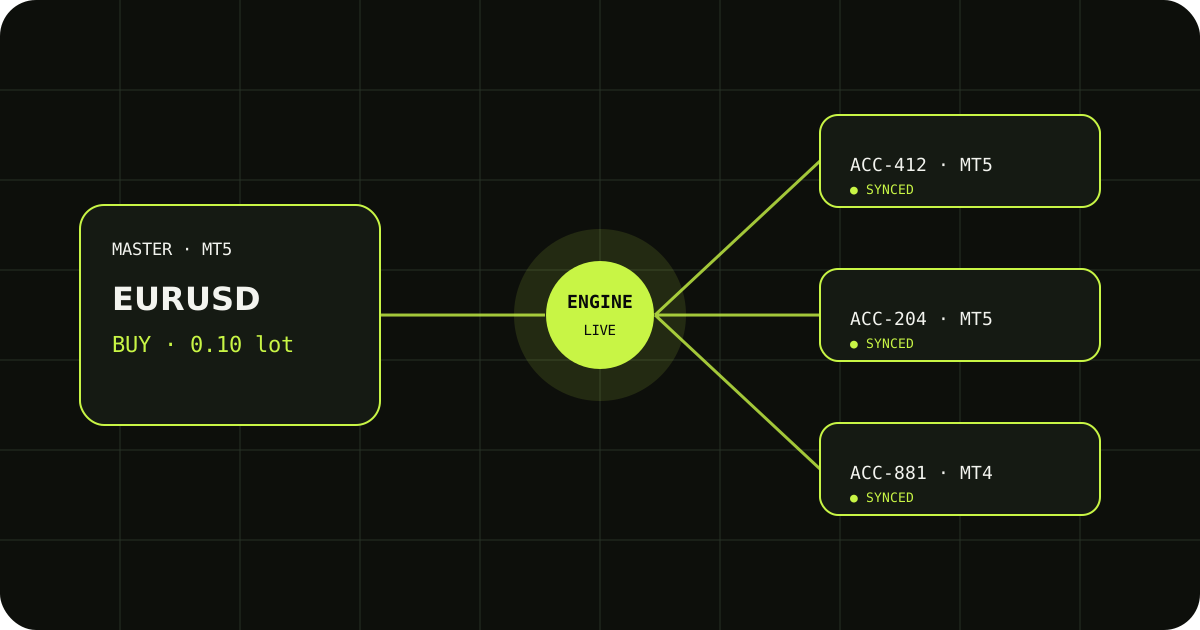
Search results mix cloud dashboards, Windows installers, and MetaTrader Expert Advisors. For Trade Copierr, the practical split is simpler: Master and Follower EAs on your terminals talk to Trade Copierr’s hosted copier server—you do not run that server yourself. This page explains what “MT5 trade copier software” usually means and how to test any option on demo.
Local EAs on your terminals
The Master EA watches the source account and sends trade events. Each Follower EA receives instructions for its account. You still need stable terminals (often on a VPS), AutoTrading enabled, and correct symbol mapping when brokers use different names.
Hosted relay (Trade Copierr model)
Trade Copierr runs the copier server in the cloud. Your job is to install the EAs, enter your rental key, and keep terminals online. You are not deploying Node, opening firewall ports, or maintaining a signal stack on your own machine.
What to compare before buying
Check pending orders, partial closes, SL/TP updates, lot modes (fixed, multiplier, balance-based), cross-broker symbol mapping, and clear logs when a trade is skipped. Run one demo entry, one modify, and one close on every follower before live size.
Demo checklist (five minutes)
- One market entry on the master.
- Move SL or TP once.
- Close the position and confirm follower flat.
Trade Copierr provides hosted copier infrastructure and licensed EAs; results still depend on broker rules, symbol mapping, margin, and your lot settings. Use demo until the behavior matches your plan.
Read next: MT5 trade copier product · How copying works (guide)
Public comments are saved for this blog post and shown to other readers.